
A chatbot can help you write a reply. An AI agent system can help you turn that reply into organized work.
That difference matters when you run a service business, freelance practice, home office, or small team. A customer inquiry is rarely just one message. It may require research, a follow-up draft, a task with a due date, notes about the customer, and a review before anything is sent.
If those pieces live in separate chats, inboxes, documents, and task apps, important work can slip through the cracks.
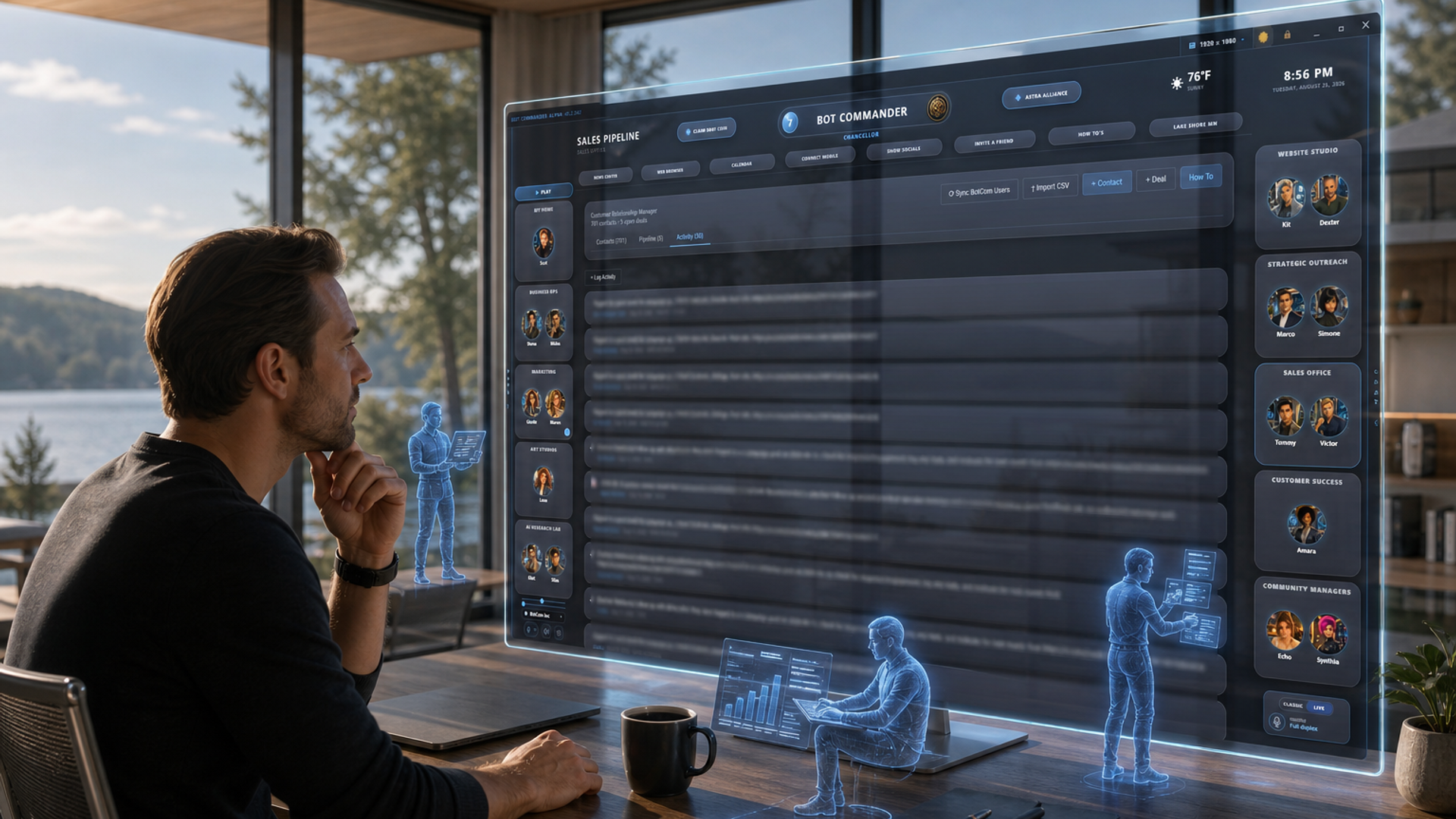
Bot Commander is an AI Home & Business Automation System designed to bring that work into one private desktop command center. It coordinates specialized AI agents, tasks, schedules, files, communications, and recurring routines while keeping the owner in control of consequential actions.
Here is a practical way to think about AI agents—and a first workflow you can use to turn a customer request into a clear next step.
What Is a Chatbot?
A chatbot is a conversational tool. You ask a question, provide context, and receive an answer.
For example, you might paste a customer’s message into a chatbot and ask:
“Write a friendly reply to this customer asking about my website design services.”
The chatbot may produce a helpful draft. But after that, you still need to decide what to do with it:
- Copy it into your email.
- Create a task to follow up.
- Find or create notes about the customer.
- Set a reminder.
- Check whether you need more information before sending.
- Keep track of what happened next.
A chatbot can be useful for one part of the job. It does not automatically make the surrounding work organized.
What Is an AI Agent?
An AI agent is an AI assigned to help with a specific kind of work.
Instead of opening a new blank conversation for every need, you can use specialized agents for different roles—such as research, operations, customer support, marketing, finance, content, or sales. The goal is not to remove your judgment. The goal is to give routine work a clearer path from request to reviewable result.
Bot Commander includes preconfigured specialized agents that can be deployed individually or as a coordinated team. Their work can remain connected across sessions, with persistent context and visible activity.
In a customer-follow-up workflow, that might look like this:
- A customer asks for information.
- An agent prepares a draft response based on the details you provide.
- The work is connected to a task and a follow-up date.
- You review the draft and the next step.
- Any consequential action, such as sending a message, waits for your explicit approval.
That is the practical difference: a chatbot gives you an answer; a coordinated agent workflow helps organize what happens after the answer.
A Simple First Workflow: Turn an Inquiry Into a Follow-Up Plan
You do not need to rebuild your whole business process to start. Choose one repeated situation that currently creates friction.
For many solo service providers, a good first workflow is: new customer request to follow-up plan.
Step 1: Gather the request in one place
Start with the customer’s actual message. Include only the useful context:
- What the customer wants
- Their deadline or timing
- Your relevant service or offer
- Questions you need answered
- The next decision you need to make
For example:
“A local bakery asked whether I can redesign its website before a seasonal promotion in six weeks. They want pricing, examples of previous work, and a recommendation for the first step.”
The goal is not to make the request perfect. The goal is to give your AI team a clear starting point.
Step 2: Ask for a reviewable output, not just ideas
A vague request like “help me with this lead” can produce vague results. Ask for specific artifacts you can inspect.
Try this prompt:
“Turn this customer request into:
1. A concise reply draft,
2. A list of questions I need answered before quoting,
3. A follow-up task with a suggested due date, and
4. Notes I should retain about this opportunity.
Do not send anything without my approval.”
This gives the work a defined finish line. You are asking for a draft, a checklist, a task, and usable notes—not an unsupported promise that the customer will convert.
Bot Commander can help coordinate this type of work through its specialized agents, built-in CRM, task management, and scheduling tools. The owner remains responsible for reviewing the output and approving actions.
Step 3: Inspect the draft before it leaves your control
A useful draft should answer the customer clearly without pretending you know facts you have not confirmed.
For the bakery example, your reply might say:
“Thanks for reaching out. I’d be glad to learn more about your seasonal promotion and the role your website needs to play. Before I prepare a recommendation, could you share your target launch date, the pages you expect to update, and whether you need online ordering or campaign landing pages?”
That is a starting point, not a finished business decision. Review the tone, pricing language, promises, and deadlines before you approve anything.
Bot Commander is built around approval gates for consequential actions. Publishing, sending, spending, account changes, and destructive actions should stop for explicit owner approval. Activity history and reviewable outputs help you see what work was proposed and why.
Why Visible Approval Matters
Business owners often hesitate to use AI for real operations because they do not want software making commitments on their behalf.
That concern is reasonable.
A useful AI workflow should distinguish between work that can be prepared and work that should require a human decision. Researching options, organizing notes, creating a task, and drafting a response can save time. Sending an email, publishing a post, changing an account, or spending money can have consequences.
Bot Commander is designed to keep that boundary visible. Its protected browser controls require approval for consequential clicks, and supported Windows application control uses visible, bounded actions with approval for change-making inputs.
You can use AI to move work forward without handing over the final decision.
Do You Need to Replace Your Existing Tools?
No. A first workflow should reduce friction, not force a disruptive migration.
You may already use email, a calendar, a spreadsheet, Google Workspace, Notion, or another CRM. Bot Commander is intended to coordinate work across connected tools rather than require you to abandon everything at once.
Start with one repeated handoff:
- Customer message to follow-up task
- Meeting notes to action list
- Research request to saved summary
- Content idea to reviewable draft
- Household reminder to a shared grocery list
Bot Commander also includes Calendar, Tasks & Reminders, a built-in CRM, project files, and a Markdown editor for keeping practical work connected. The Com mobile app can provide access to agenda items, tasks, approvals, and supervision from a phone.
A Better Test Than “Will AI Run My Business?”
The better question is:
“Can AI help me finish one important piece of work while I remain in control?”
Pick one request you receive repeatedly. Define the artifacts you need. Review the result. Then decide whether the workflow saved time, reduced missed follow-ups, or made the next step clearer.
That is a more useful test than collecting another chatbot subscription or stitching together another complex automation stack.
Bot Commander is free for individual use, with optional paid Team features and a separately sold Editable Source Pack. AI usage, cloud hosting, and connected third-party services may carry separate charges depending on the tools you choose.
Put Your First AI Agent Workflow to Work
A chatbot can help you write a message. A coordinated AI agent system can help you turn that message into organized, reviewable work.
Start with one customer request. Ask for a reply draft, follow-up questions, a task, and saved notes. Review every consequential action before it happens.
Download Bot Commander and use your Commander to build a first workflow that helps you move useful work forward.